lockmeout.online
iOS
On iPhone and iPad, install the lockmeout.online app from the App Store. It is a full app — create locks, receive unlock codes and push notifications — and it also gives you a lock screen widget that shows your unlock secret without unlocking the device, plus Siri integration to read it out hands-free.

After installing, set up the lock screen widget and notifications so you can read your unlock code even when no other device is available.

Web App
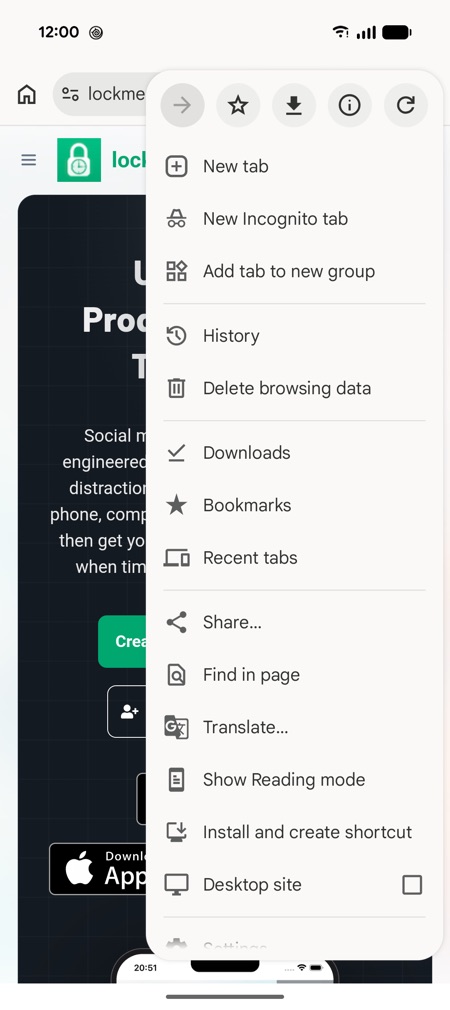
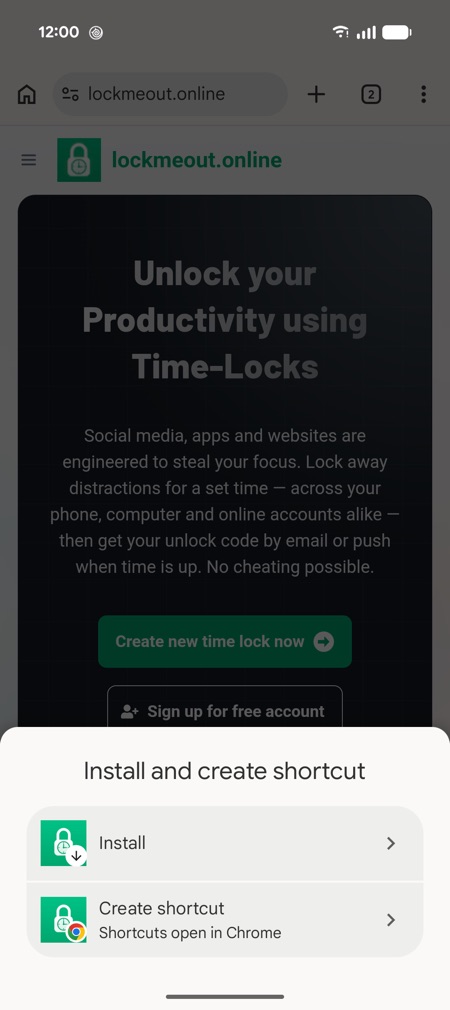
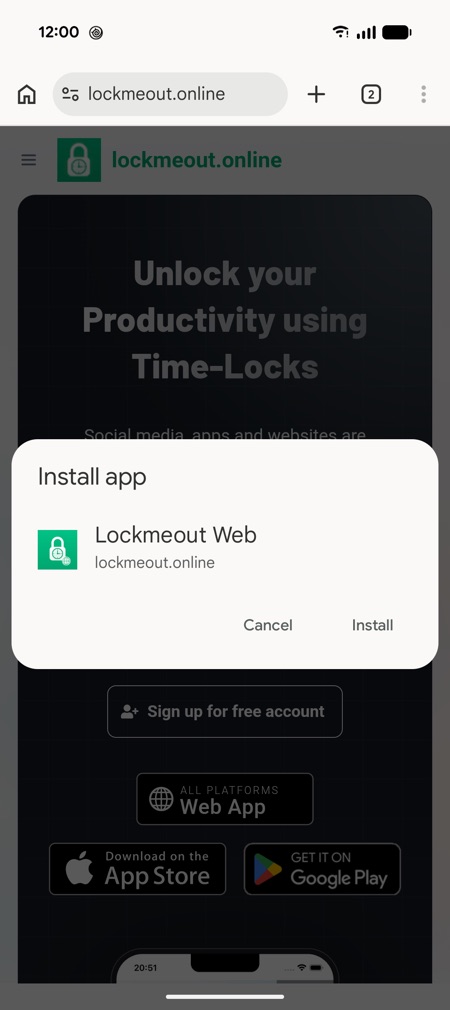
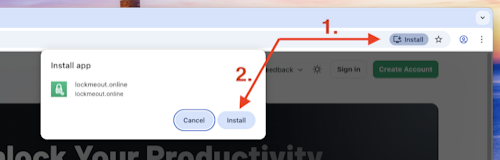
lockmeout.online is also a Progressive Web App (PWA): it runs in any modern browser and can be installed to your home screen or dock on any platform — no app store required. The web app covers all core features (creating locks, receiving unlock codes and push notifications), but does not include the native extras such as the iOS lock screen widget or Siri integration.
iPhone / iOS Safari
- Open lockmeout.online in iOS Safari and tap the
Sharebutton. - Select
Add to Home Screen. - Confirm by pressing
Add. You can now find the app on your Home Screen.
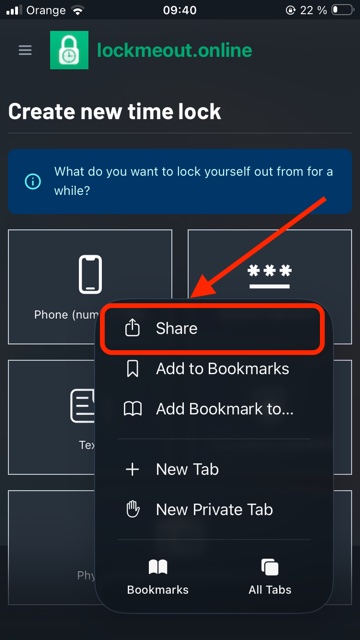
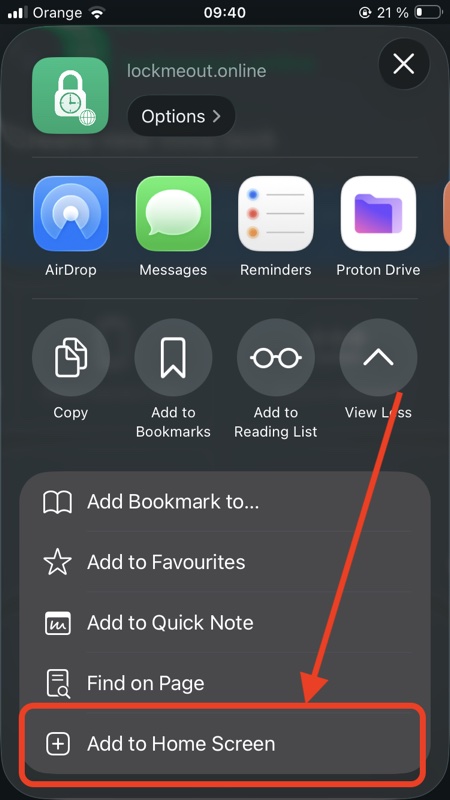
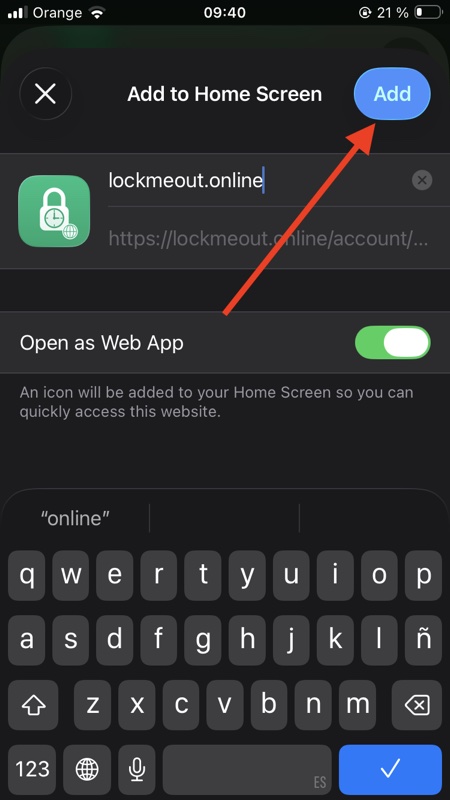
On iOS you must add the web app to your Home Screen to receive push notifications — then follow how to read your unlock code while locked out.
macOS Safari
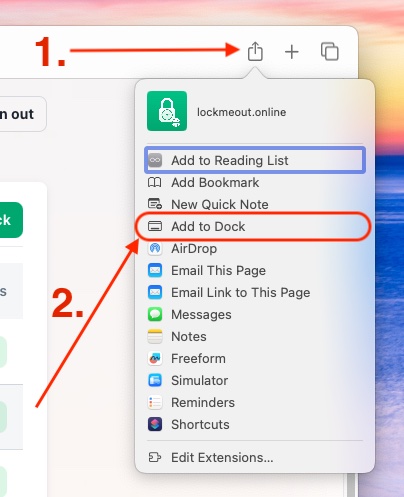
- You need at least
Safari v17.0to install as a Web App. - Visit lockmeout.online and click the
Sharebutton in the address bar. - Select
Add to Dock. - Confirm by clicking
Add.